Engineering04 Nov 20267 min read
Official vs unofficial WhatsApp APIs, and why the QR code is the problem
Most cheap WhatsApp "APIs" are just your phone pretending to be WhatsApp Web. Here's how they differ from Meta's official Cloud API, what happened to the old On-Premises API, and what I'd ask before connecting a business number.
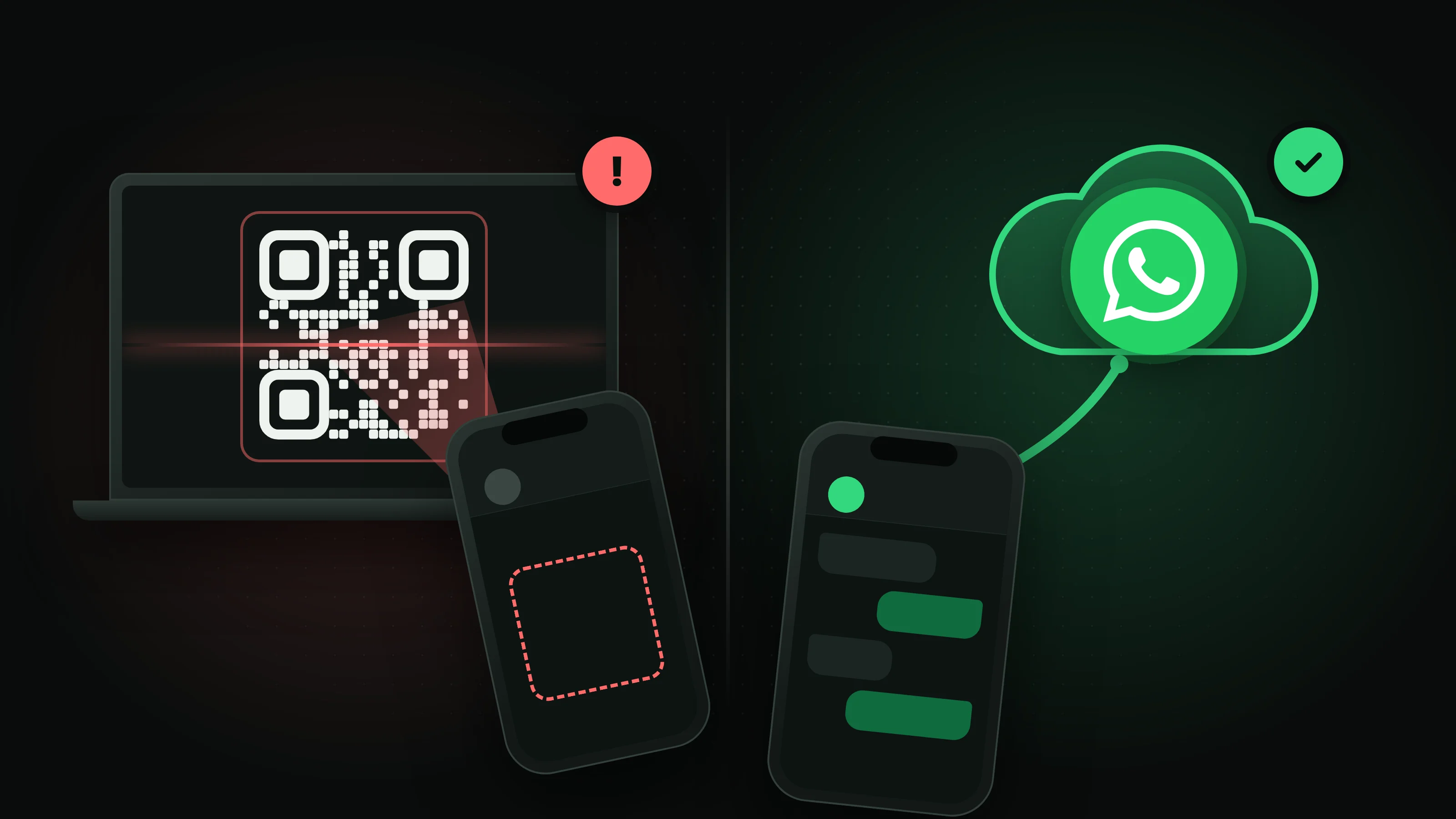
Here in Iraq, a shop doesn't really have a website. It has a WhatsApp number. Orders come in there, so do the "is this still available?" questions, the delivery updates and the complaints at 11 at night. So it makes sense that sooner or later the owner wants help: a shared inbox for the team, a bot that answers the easy questions, a way to send "your order is on the way" without typing it 50 times.
And that's where it gets confusing. Search for a "WhatsApp API" and you'll find two kinds of products that look almost the same on a pricing page. One is Meta's official WhatsApp Business Platform. The other is a long list of services that start with "scan this QR code". They are not the same thing, and the difference can cost you your number.
That QR code isn't an API
If a service asks you to scan a QR code, or to open Linked devices in WhatsApp and type in a short code, you're not connecting to an API at all. You're adding a linked device to your account, the same way you'd open WhatsApp Web on a laptop. The only difference is that the "laptop" is a server somewhere that belongs to them.
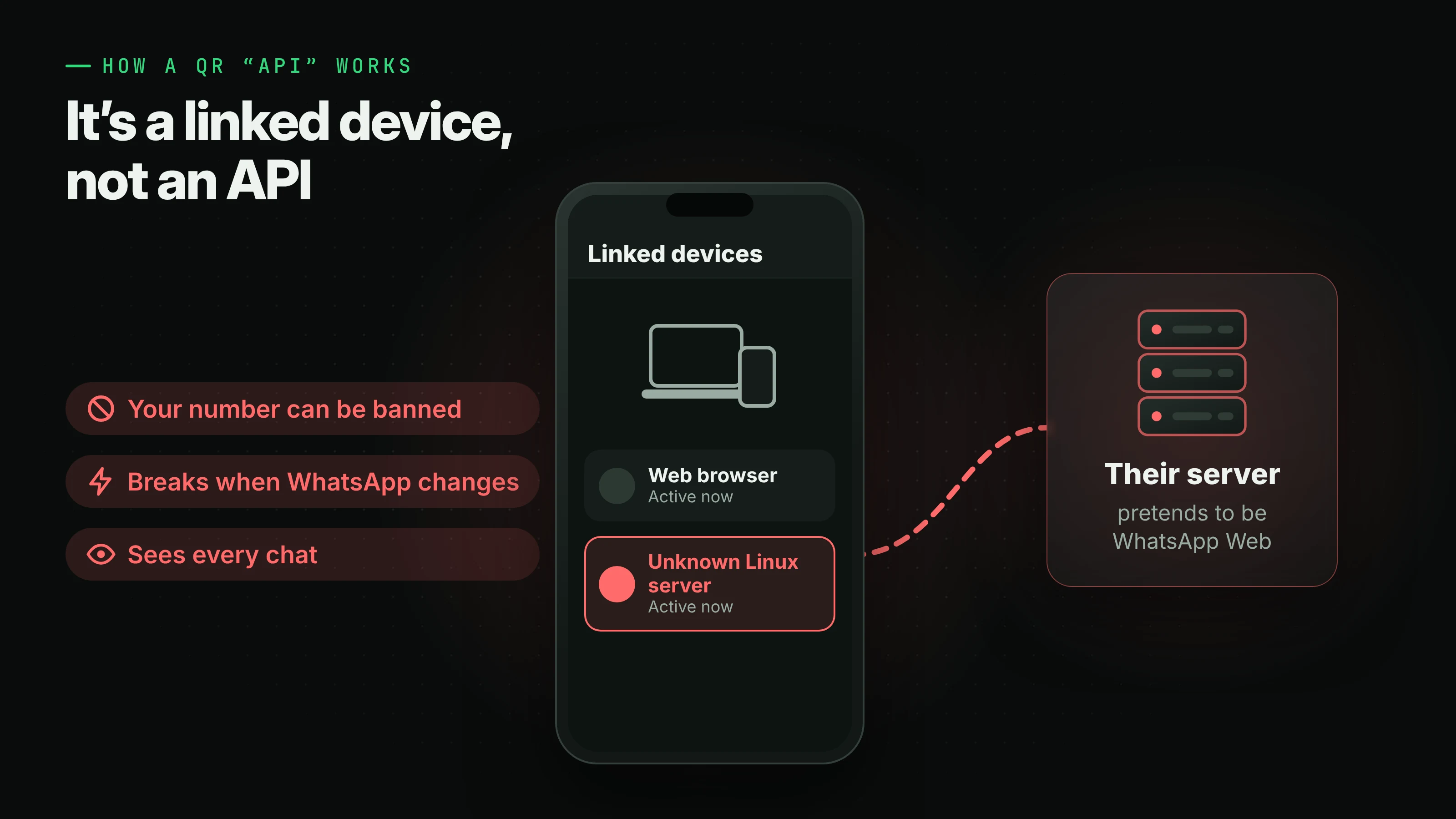
That server runs software that pretends to be WhatsApp Web. Some services drive a real browser in the background, using open-source libraries like whatsapp-web.js. Others talk the WhatsApp Web protocol directly, with libraries like Baileys. I don't say that to knock the people who build those libraries. They're refreshingly honest about it. The whatsapp-web.js README says "WhatsApp does not allow bots or unofficial clients on their platform, so this shouldn't be considered totally safe." Baileys says it isn't affiliated with WhatsApp and asks people not to use it for bulk or automated messaging.
WhatsApp's own terms say the same thing in legal language. They don't allow "bulk messaging, auto-messaging, auto-dialing, and the like", or "any non-personal use of our Services unless otherwise authorized by us." The official Business Platform is that authorization. A QR bridge isn't.
In practice, that means a few things. Your number can get banned, not because of anything you wrote, but because of how you're connected, and there's nobody at Meta to appeal to on behalf of a tool that was never approved. It can stop working the day WhatsApp changes something in WhatsApp Web, and you'll usually find out from a customer whose message got no answer. Your phone has to stay charged and online, because linked devices log out when the main phone is away too long. And that server can see every chat on the account, your personal ones included.
It's cheap and it takes two minutes to set up, so I understand why it's popular. But you're building the main way your customers reach you on something WhatsApp says it doesn't allow.
What the official route looks like
The official route is Meta's WhatsApp Business Platform, and today that means the Cloud API. Meta hosts it. Your number is registered to your own WhatsApp Business Account, and the tool you use talks to it with an access token instead of pretending to be a phone. You connect through Meta's own sign-up window, usually from inside the tool itself, so nobody ever holds a QR session for your account.
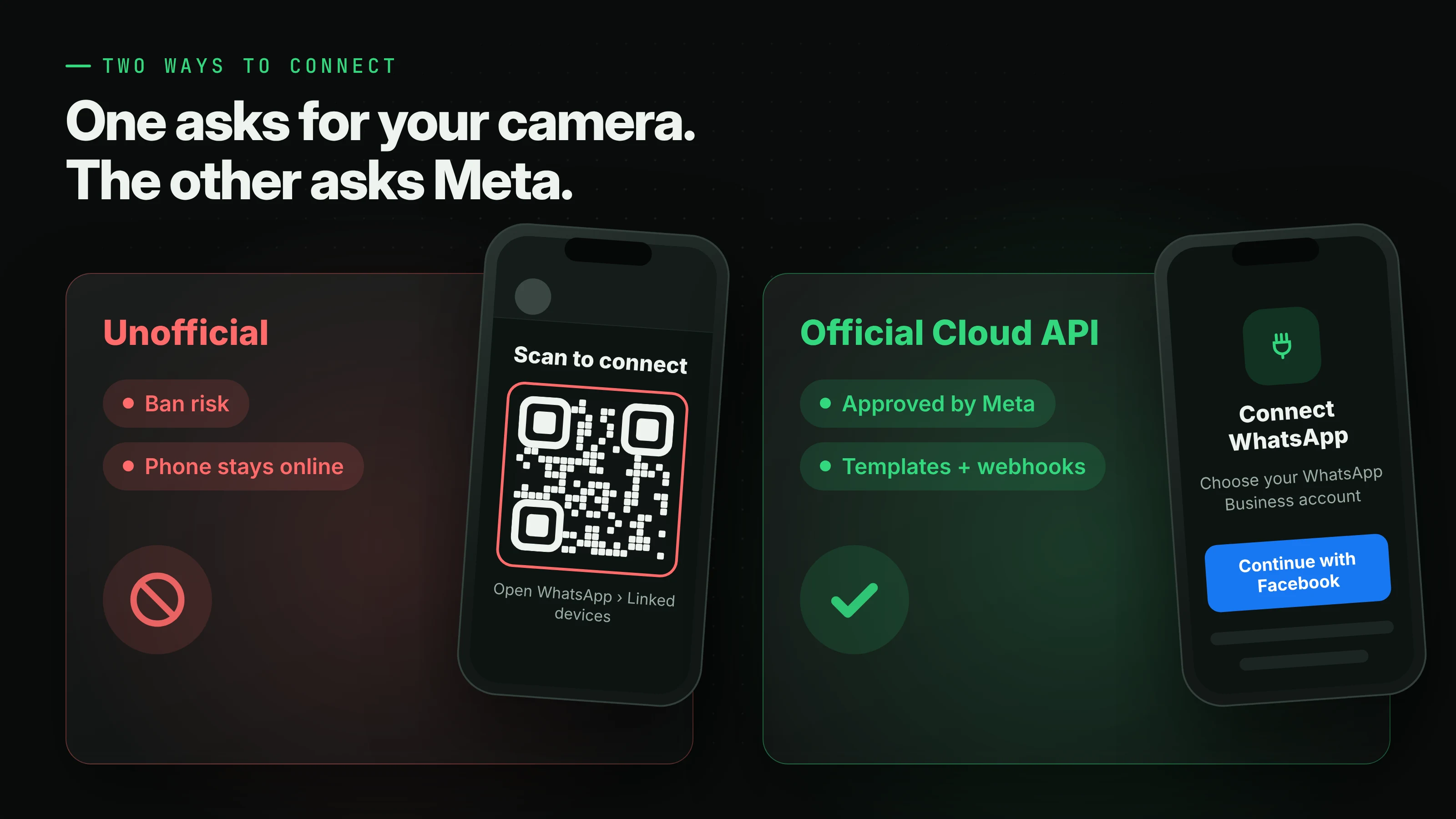
You also get a few rules, and honestly they're the good kind. When a customer messages you, you can reply freely for 24 hours. After that, you can only send templates Meta has approved, like an order update, a reminder or a login code. That stops businesses from turning WhatsApp into another spam inbox, and it's a big part of why people still open messages from businesses there.
Pricing is per message. Since July 1, 2025, Meta charges for each delivered template message, depending on what kind it is (marketing, utility or authentication). Your customers never pay to message you. And because messages come in as webhooks, your systems can route them, assign them to someone and keep a record, without anything depending on a phone sitting on a desk.
The old official API had a catch
This is the part that trips people up, because "official" hasn't always meant the same thing.
Before the Cloud API, a lot of providers used Meta's On-Premises API, where they ran WhatsApp's server software themselves. It was official, but it was built for big companies, and it had one rule that small businesses hated: once a number was on the API, it was only on the API. You couldn't keep using the WhatsApp Business app on your phone with it. For a shop that had been answering customers from that app for years, moving meant giving up the app, its chat history and the way they were used to working, and getting a dashboard in return.
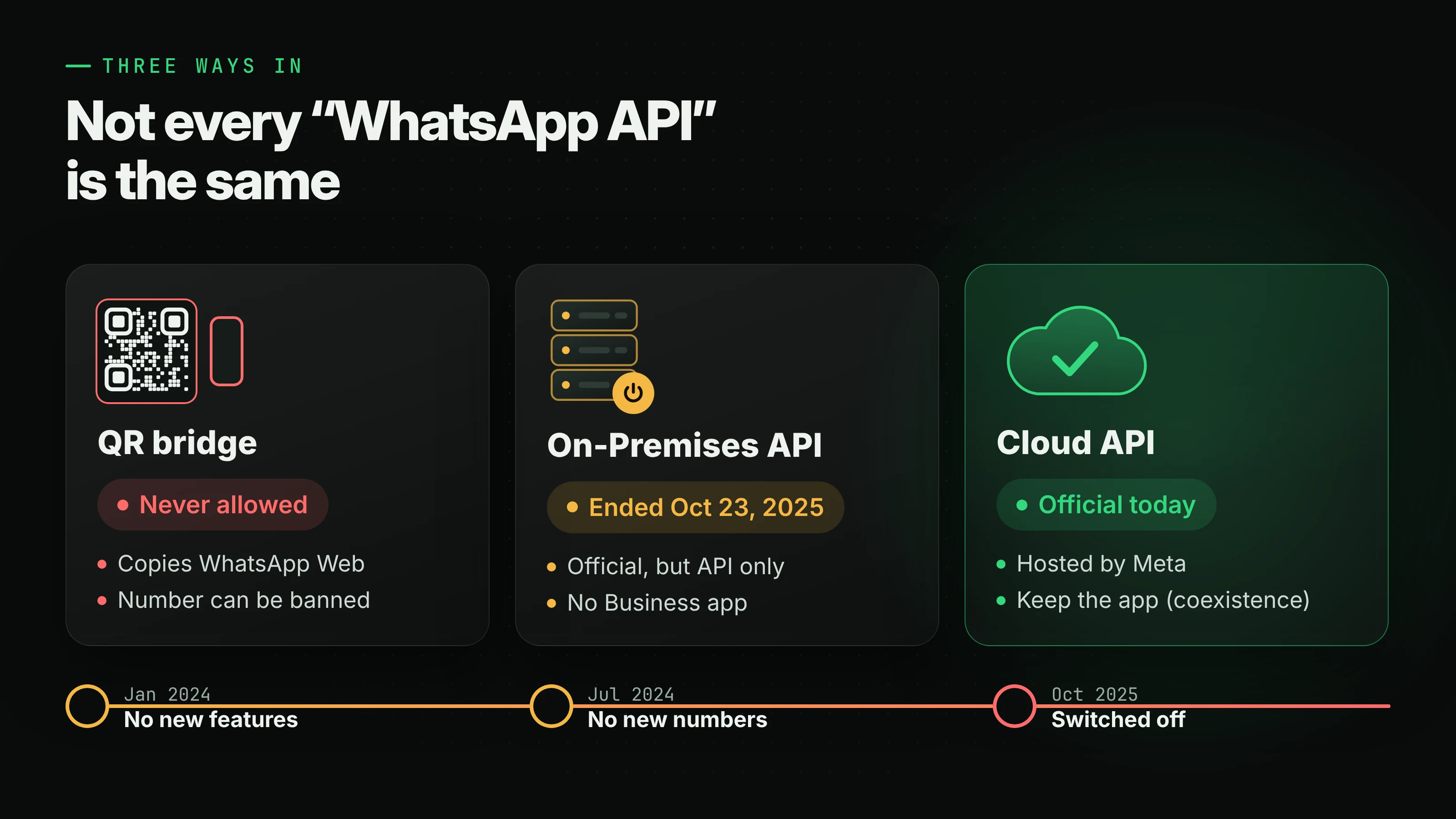
That model is gone now. Meta stopped adding features to On-Premises in January 2024, stopped new numbers from registering on it in July 2024, and switched off the last version on October 23, 2025. Messages to and from numbers still on it simply aren't delivered anymore. If a provider's setup still feels like that old deal, it's fair to ask them which API they're actually on.
Coexistence: keep the app, add the API
The Cloud API brought something On-Premises never had, called coexistence. If you already use the WhatsApp Business app, you can connect the same number to the Cloud API and keep using the app on your phone.
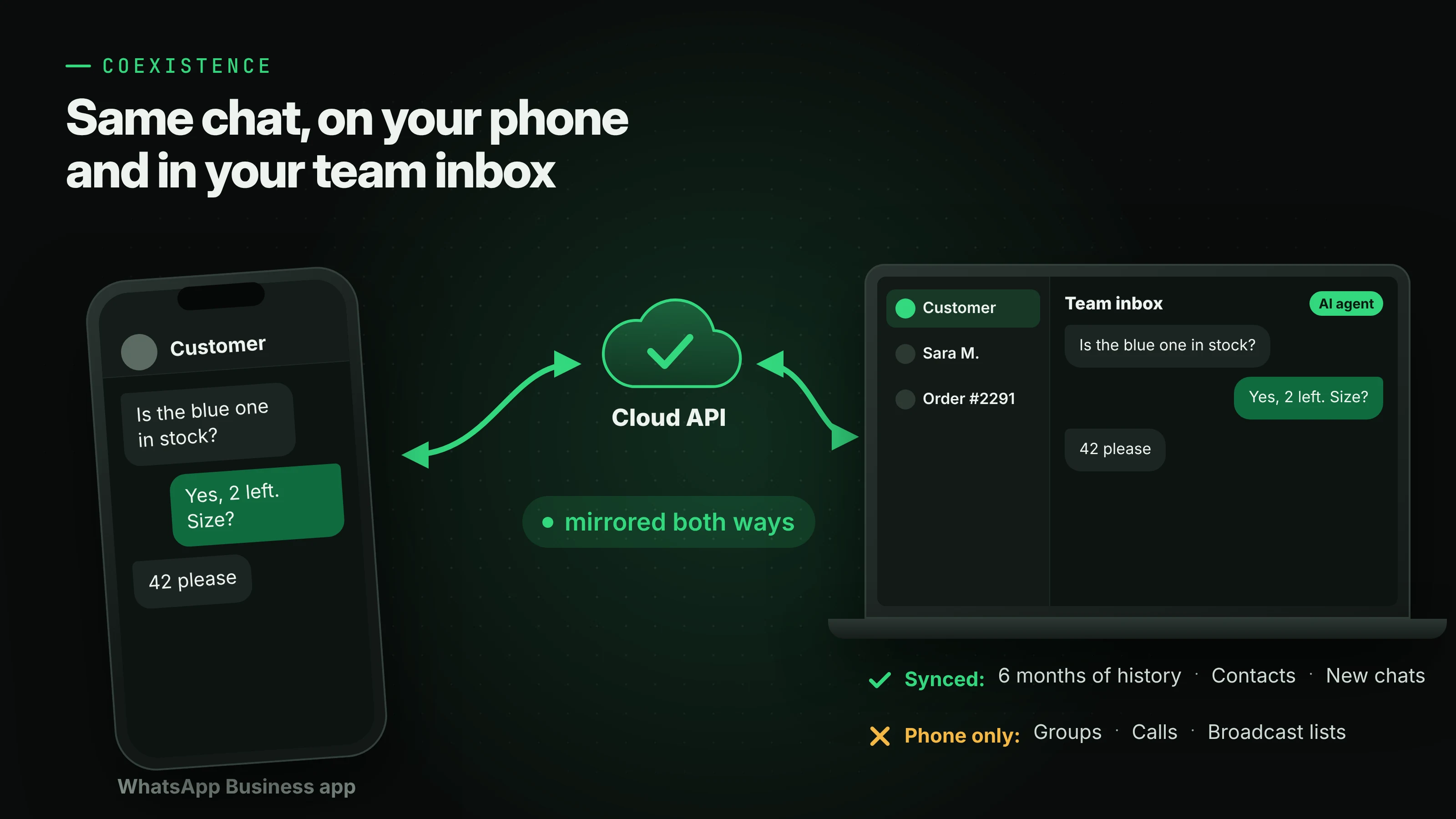
Meta's documentation for onboarding WhatsApp Business app users explains how it works. One-to-one chats are mirrored both ways, so a reply you type on your phone shows up in your team's inbox, and the other way round. When you connect, up to six months of one-to-one chat history and your contacts can come across too. Messages you send from the app stay free, and messages sent through the API are priced like any other Cloud API message.
There are limits. You need WhatsApp Business app version 2.24.17 or newer. Groups, calls, disappearing and view-once messages, status and catalogs don't carry over to the API, and broadcast lists become read-only. A number that's on both the app and the API is also capped at 20 messages per second. For most small businesses that's a fine trade: the owner keeps answering from the phone, and the team, or an AI agent, works the same chats from a shared inbox. Coexistence comes through providers who are Meta Tech Providers or Solution Partners, so whether you get it depends on the tool you choose.
What I'd use
For businesses here, I'd recommend Warid. It connects your number through Meta's official WhatsApp Business Platform as a Meta Tech Provider, so there's no QR code, no phone to keep online, and nothing about the connection that can get you banned. You get one inbox for WhatsApp, Instagram and Messenger, and an AI agent that only answers from the files, pages and answers you give it, and passes the chat to a person when it doesn't know. It also does WhatsApp campaigns and one-time login codes, and it works properly in both Arabic and English, right to left included. You pay for usage rather than seats: replies from your team are free, and every workspace starts with some free credit.
One honest caveat. Right now, Warid's help pages say that a number signed in to the WhatsApp or WhatsApp Business app has to be removed from the app before you can connect it, and the chats on your phone don't move over. So if keeping the app on your phone matters more to you than anything else, ask them about it before you switch.
Five questions to ask any provider
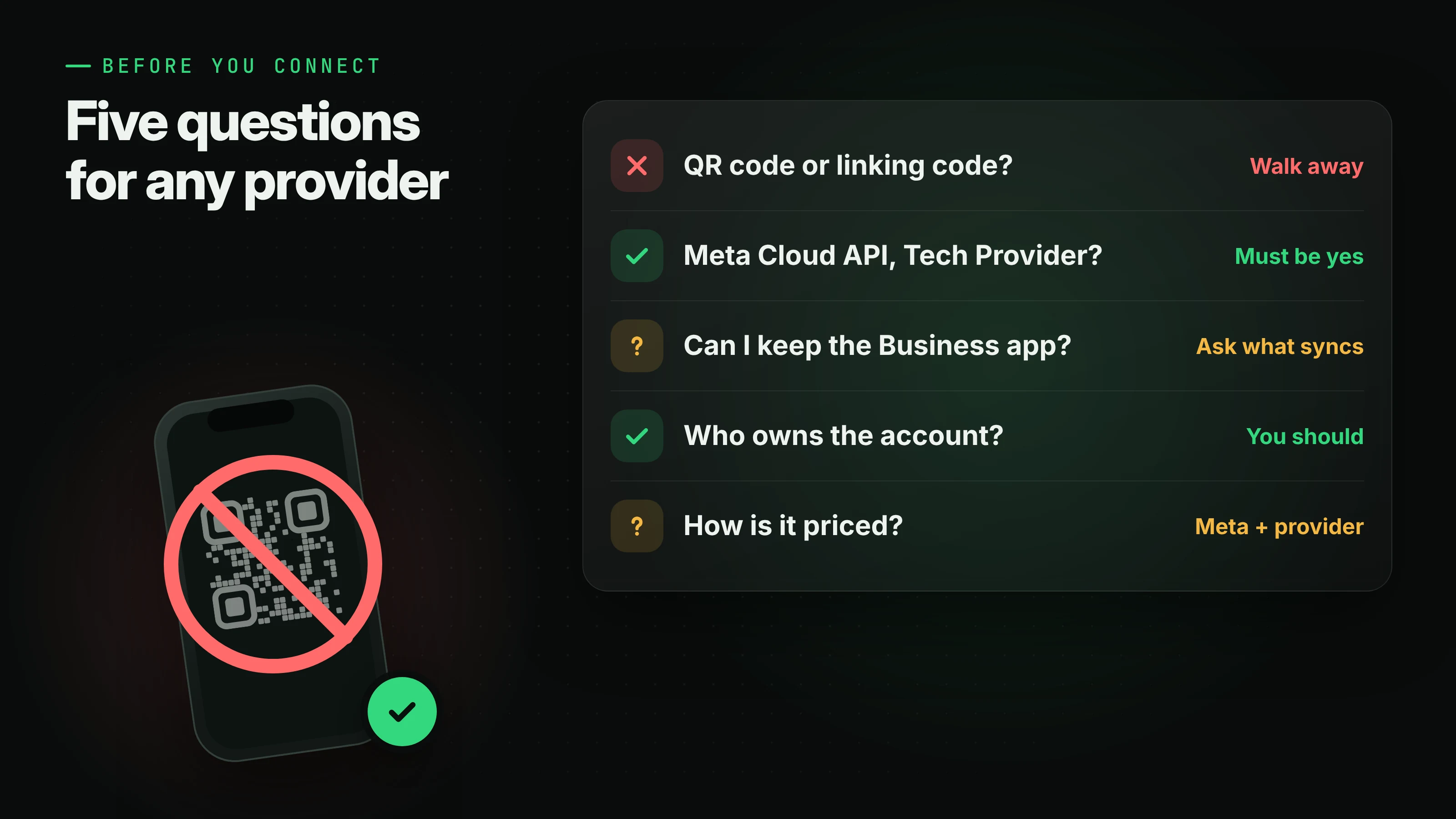
Before you connect your business number to anything, I'd ask these:
- Do I connect by scanning a QR code or typing a linking code? If the answer is yes, it's unofficial. Don't use it for anything that matters.
- Is it Meta's Cloud API, and are you a Meta Tech Provider or Solution Partner? You should be connecting through a Facebook sign-up window, not your phone's camera.
- Can I keep using the WhatsApp Business app on my phone? That's coexistence. Ask what syncs and what doesn't.
- Who owns the WhatsApp Business Account? It should sit in your Meta business portfolio, so you can change providers later without losing your number.
- How is it priced? You'll pay Meta's per-message fees plus whatever the provider charges. Know both before you start.
A QR code is fine for a weekend experiment. For the number your customers have saved as "the shop", use the official API.
Resources
- Meta: WhatsApp Business Platform documentation
- Meta: Onboarding WhatsApp Business app users (coexistence)
- Meta: On-Premises API sunset
- Meta: Pricing on the WhatsApp Business Platform
- WhatsApp: Business Messaging Policy
- WhatsApp: Terms of Service
- whatsapp-web.js README and Baileys README, for the unofficial libraries' own disclaimers
- Warid: warid.chat and its channel help